Setup MQTT
What is MQTT?
MQTT stands for Message Queuing Telemetry Transport. It is a protocol that has been integrated into Meshtastic to allow nodes to relay messages over the internet, bridging gaps where a physical connection would otherwise not be possible.
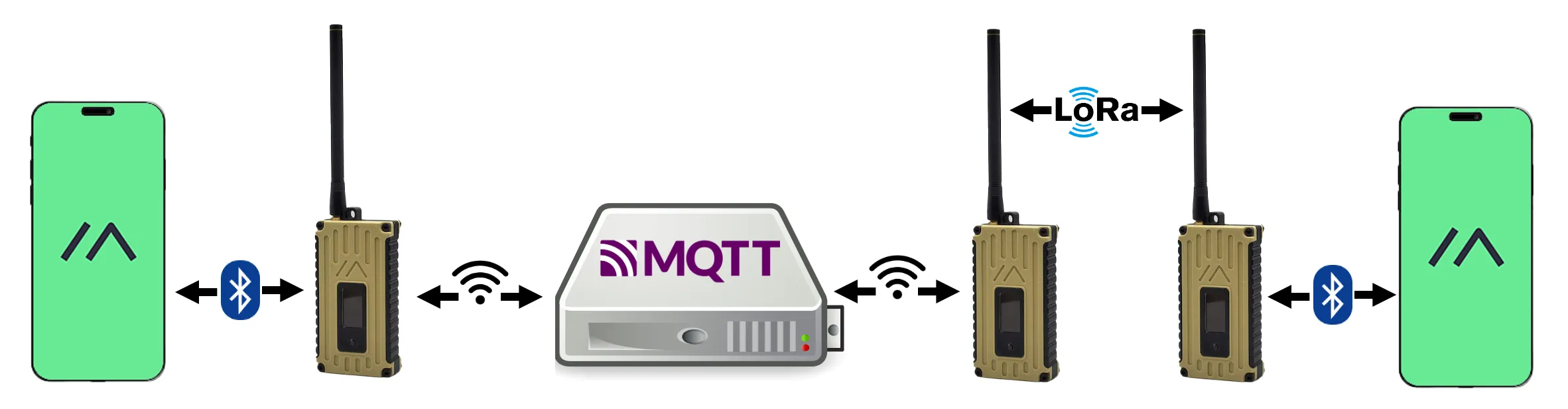
MQTT Settings
Enabling MQTT will allow your node to appear on Liam Cottle MeshMap, Global MeshMap, and Chicagoland MeshView.
Go to your MQTT settings and select Enable.
Set the following connection details:
Field Value MQTT Server Address mqtt.chimesh.orgUsername meshdevPassword large4cats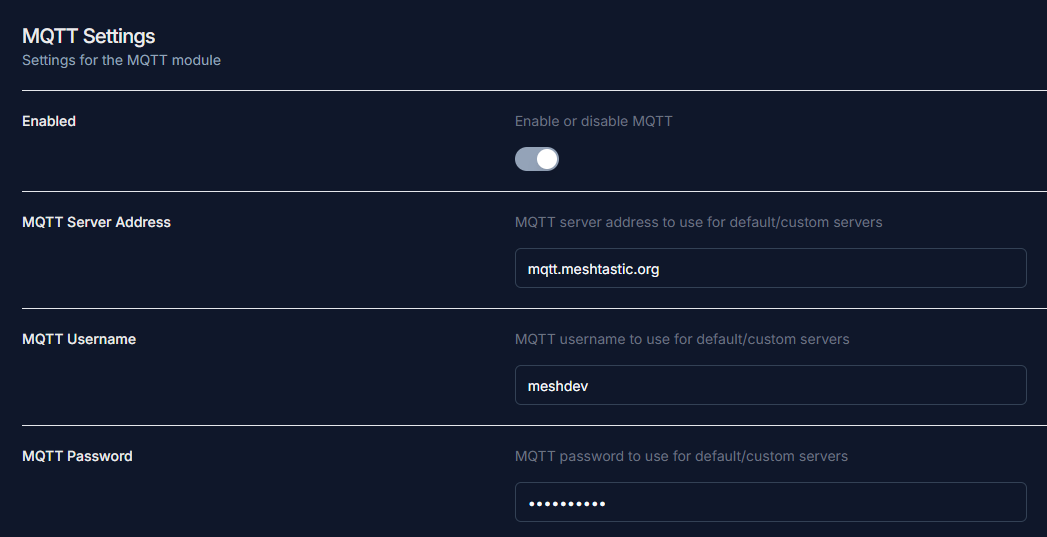
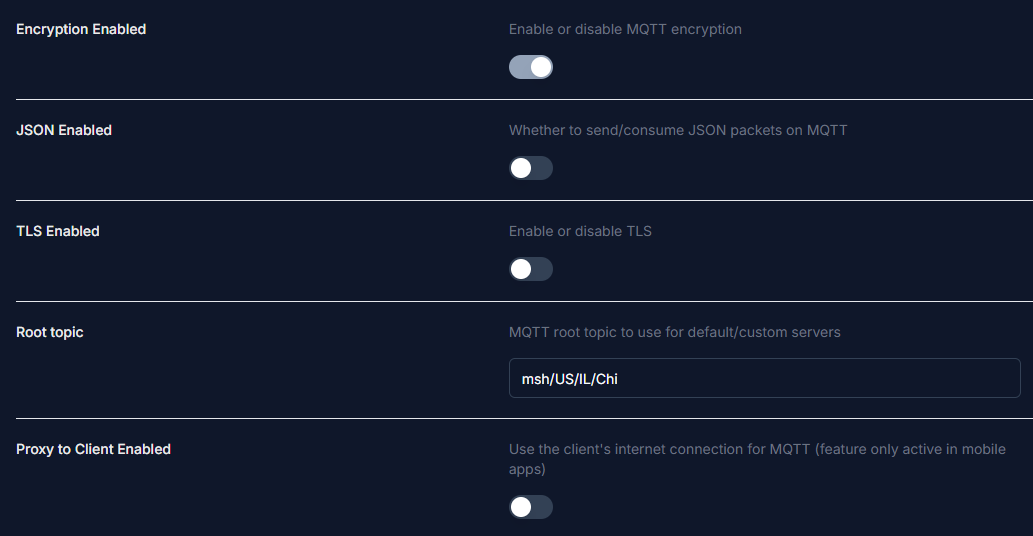
Enable MQTT encryption.
Ensure JSON and TLS are both disabled.
Set your root topic to
msh/US/IL/Chi.Warning
The root topic field is case-sensitive. Do not include any leading or trailing spaces.
Configure the Proxy to Client setting based on your connection type:
- Wi-Fi — Set Proxy to Client to
Off - Phone/Bluetooth — Set Proxy to Client to
On
- Wi-Fi — Set Proxy to Client to
Go to Channel Settings, then open the Primary Channel and configure the following:
Field Value Pre-shared Key AQ==Name (leave blank) MQTT Uplink EnabledMQTT Downlink DisabledInfo
Uplink sends messages received by your node to MQTT. Disabling downlink prevents your node from receiving messages back from MQTT. See Optional Settings for more detail.
Enable Map Reporting, set the Map Publish Interval to
3600seconds, and choose your desired Position Precision.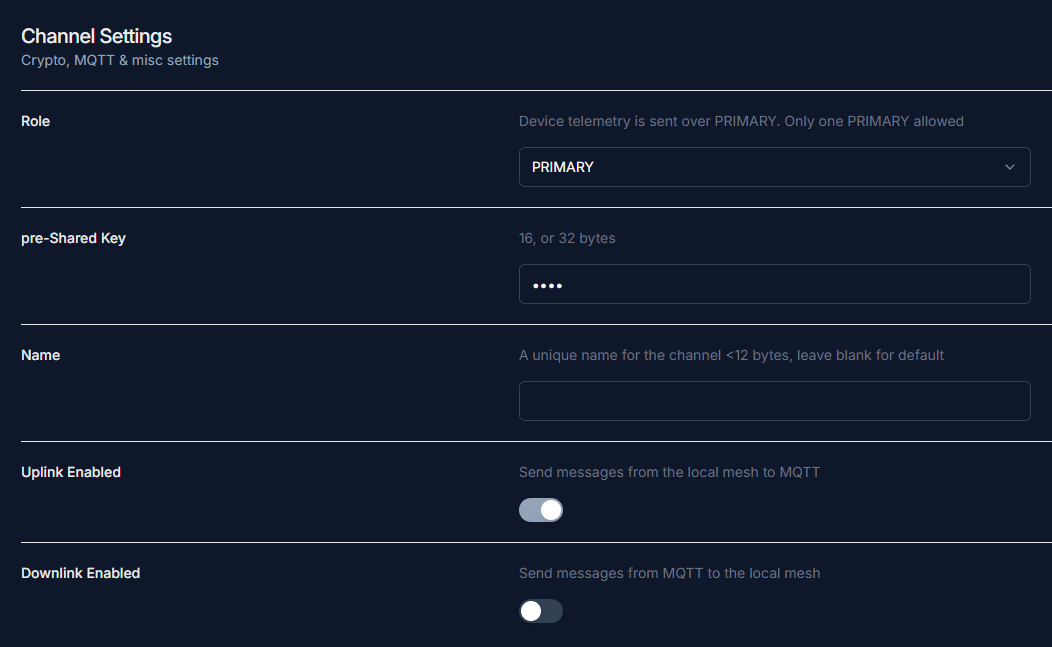
Optional Settings
If you are using a mobile device, make sure Connect to Mesh is enabled.
The uplink and downlink settings can be adjusted to your preference if you want to communicate with others through MQTT. The instructions above reflect the configuration standard we recommend.
We recommend having at least uplink enabled on the primary channel with device position enabled, so your node appears on Liam Cottle MeshMap, Global MeshMap, and Chicagoland MeshView.